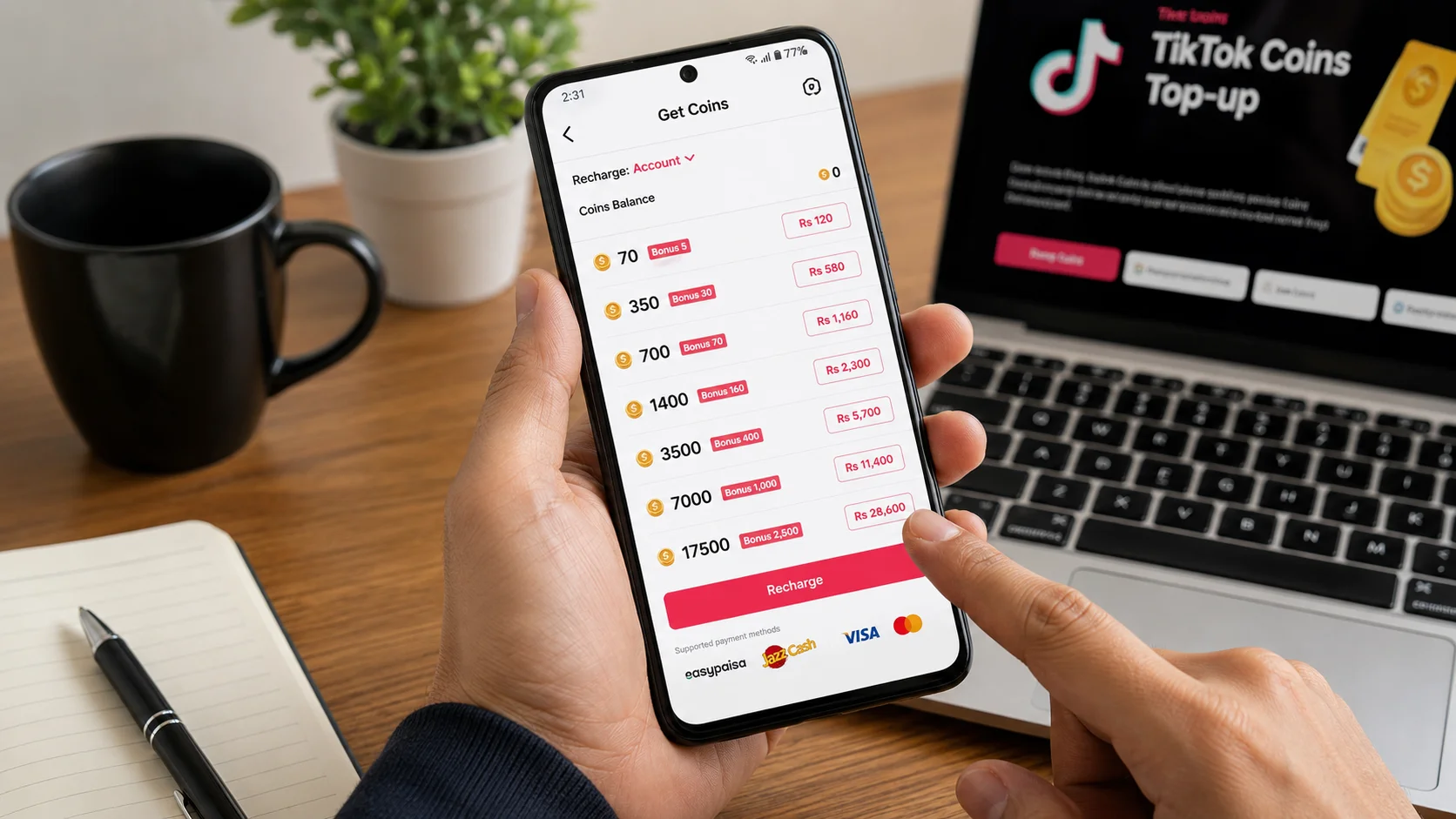
If your TikTok Coins are not showing up after payment, there is usually no reason to panic. A payment can be successful on your bank or wallet while the Coin delivery is still being processed. In other cases, the issue may be related to an incorrect TikTok account, delayed payment confirmation, app synchronization, or a temporary technical problem.
In This Blog, We Discuss
- Why TikTok Coins may not be received after payment
- What to check when money has been deducted but Coins are missing
- How to verify your payment and order status
- How to check whether Coins were added to the correct TikTok account
- What to do if your TikTok Coins recharge is still processing
- How to handle duplicate or failed payments
- What to do when a payment is completed but Coins are still not showing
- How to contact support and provide the right order information
- Tips to avoid TikTok Coins payment and recharge issues in the future
By following the troubleshooting steps in this guide, you can identify where the problem occurred and determine the right next step before contacting customer support.
TikTok Coins are virtual credits used within TikTok for purchasing virtual Gifts and supporting creators during LIVE sessions. When Coins are purchased successfully, they should become available in the relevant TikTok account. However, the exact processing time can depend on how the purchase was made and which payment method was used.
This guide explains why TikTok Coins may not appear after payment, what to check first, how to troubleshoot a missing Coin balance, and what information to provide to support.
Quick Answer: Why Are My TikTok Coins Not Showing?
If your TikTok Coins are not showing after payment, first check whether the payment is successful, pending, failed, or reversed. Then verify that the correct TikTok account or UID was used, refresh your TikTok balance, and check your order status if you purchased through a top-up service.
If money was deducted but the Coins have not arrived, do not immediately make another payment. Save your transaction ID and payment receipt, wait for the stated processing period, and contact the relevant support team if the order remains incomplete.
Table of Contents
Quick Action Checklist
If your TikTok Coins have not appeared after payment, follow these steps:
- Check your payment status — Confirm whether the transaction is successful, pending, failed, or reversed.
- Check your TikTok Coin balance — Close and reopen TikTok and check your balance again.
- Verify your TikTok account — Make sure the correct account or UID was used.
- Check your order status — If you used a top-up service, see whether the order is processing or completed.
- Save your transaction ID — Keep the payment receipt and order number.
- Wait for the stated processing time — Some transactions require additional verification.
- Don’t make a second payment — Resolve the original transaction first.
- Contact support if necessary — Provide your order and transaction details.
- Protect your account — Never provide your TikTok password, OTP, PIN, or wallet password.
Quick rule: If money has been deducted but TikTok Coins are missing, check the original transaction before attempting another purchase.
Why Are My TikTok Coins Not Received After Payment?
There are several reasons why TikTok Coins may not appear immediately after a payment.
Common causes include:
- The payment is still processing.
- Payment confirmation has been delayed.
- The TikTok Coin balance has not refreshed.
- The wrong TikTok account or UID was entered.
- The order is waiting for manual verification.
- A payment gateway is experiencing a temporary delay.
- The transaction was declined or reversed.
- There is a temporary technical issue.
- The top-up service has received the payment but has not completed delivery.
- The purchase was made through a different account than the one currently being checked.
Understanding which situation applies to your order is the first step toward resolving the problem.
1. Check Your Payment Status First
Before troubleshooting TikTok itself, check the payment transaction.
Open the payment app, bank account, card account, or wallet that you used for the purchase.
Look for the transaction status.
You may see:
- Successful
- Completed
- Pending
- Processing
- Failed
- Cancelled
- Reversed
These statuses can mean very different things.
Successful payment
If the transaction is confirmed as successful, keep the transaction ID and payment receipt. If your Coins are still missing after the expected processing time, contact the appropriate support team.
Pending payment
A pending payment may not have been fully confirmed yet. Wait for the payment provider to complete or reverse the transaction.
Failed payment
If the payment failed, the amount may be reversed automatically. The time required for a reversal depends on the payment provider.
Reversed payment
A reversed transaction generally means the original payment was not completed. Check your payment account for the returned amount before trying again.
Important: Don’t make another payment simply because the Coins have not appeared. First determine what happened to the original transaction.
2. Check Your TikTok Coin Balance
If your payment shows as successful, open TikTok and check your Coin balance.
Depending on your current TikTok app version and account interface, the location of the Coins or Balance section may vary.
Try these basic troubleshooting steps:
- Close TikTok completely.
- Reopen the app.
- Make sure you are logged into the correct account.
- Check your Coin balance.
- Restart your device if necessary.
- Make sure your internet connection is stable.
- Check again after a short period.
Sometimes an account balance does not immediately refresh after a transaction.
3. Verify the TikTok Account or UID
If you purchased Coins through a top-up service, one of the most important things to check is whether the correct TikTok account information was submitted.
Depending on the service, you may have provided a TikTok UID or another account identifier.
Check:
- TikTok UID
- TikTok username
- Profile information
- Order details
- Recipient account
A small account-identification mistake can result in the top-up being sent to a different account or the order being held for verification.
If the service uses TikTok UID for delivery, carefully compare the UID submitted during checkout with the UID displayed on your TikTok account.
4. Check Your Order Status
If you used a third-party TikTok Coin top-up service, log in to the website or check your order confirmation.
The order may show statuses such as:
Pending → Processing → Completed
If the order is still processing, the payment may have been received, but the Coin delivery has not yet been completed.
If the order says Completed but the Coins are not visible, contact the service’s support team and provide your order number and TikTok account information.
5. Give the Transaction Enough Time
Not every digital purchase is completed at exactly the same speed.
Processing can depend on:
- Payment method
- Payment verification
- Merchant processing
- TikTok account information
- Technical availability
- Order volume
- Manual verification
The important thing is to compare the current order status with the delivery timeframe stated by the service you used.
If the order is still within the advertised processing period, waiting may be appropriate.
If the stated timeframe has passed, contact support rather than repeatedly placing the same order.
6. What If Money Was Deducted but TikTok Coins Were Not Received?
This is one of the most common concerns.
If money has been deducted from your bank account or wallet but your TikTok Coins have not appeared, don’t immediately assume that the money has been lost.
First determine whether the payment is:
- Completed
- Still pending
- Failed
- Reversed
If the payment is successful, save the transaction receipt.
You should also keep:
- Order number
- Transaction ID
- Amount
- Payment date
- Approximate payment time
- Payment method
- TikTok UID, if applicable
These details allow support to locate the transaction and determine where the order is in the delivery process.
7. Don’t Make a Duplicate Payment
One of the biggest mistakes users make is purchasing Coins again immediately after a delayed transaction.
For example:
You pay for 500 Coins → balance doesn’t update → you purchase another 500 Coins.
If the first transaction was simply delayed and eventually completes, both purchases could potentially be processed.
Instead:
- Check the original payment.
- Check the original order.
- Check your Coin balance.
- Wait for the stated processing period.
- Contact support if necessary.
- Only make another purchase once the original transaction has been resolved.
This is particularly important when the first payment is marked as pending.
8. Refresh or Restart TikTok
If the payment is confirmed but your balance doesn’t appear updated, basic app troubleshooting can help determine whether the issue is simply a display or synchronization problem.
Try:
- Closing TikTok.
- Reopening TikTok.
- Restarting your phone.
- Checking your internet connection.
- Updating TikTok if an update is available.
- Logging back into the correct account.
Avoid making unnecessary account changes while investigating a missing Coin purchase.
9. Check Your Purchase History or Receipt
Your purchase history and payment receipt can help establish whether the transaction was completed.
Depending on where you made the purchase, useful records may include:
- Payment confirmation
- Order confirmation
- Transaction reference
- Purchase date
- Amount paid
- Payment method
- Order status
If the transaction was made through a third-party provider, the provider’s order confirmation is particularly important.
Take a screenshot of the relevant confirmation if you need to contact support.
10. TikTok Coins Purchased Through a Third-Party Service
If you purchased Coins from a third-party top-up website, the website that accepted and processed your order should normally be your first point of contact for a delivery issue.
For example, if your order shows Processing, the provider can check whether:
- The payment was received
- The payment was successfully verified
- The correct TikTok UID was submitted
- The top-up has been initiated
- The order has been completed
If you’re looking for a dedicated place to review TikTok Coin packages and purchase information, you can visit the TikTok Coins Purchase page.
Before using any third-party top-up service, check its:
- Payment options
- Delivery information
- Customer support
- Refund policy
- Order tracking
- Privacy practices
A trustworthy service should also avoid asking for unnecessary account credentials.
11. Never Give Your TikTok Password or OTP
A TikTok Coin purchase should not require you to give your TikTok password to a seller.
Be especially careful if someone claiming to be customer support asks for:
- TikTok password
- Email password
- OTP
- Wallet PIN
- Banking PIN
- Card security code
- Login credentials
Never share these details simply to resolve a Coin delivery problem.
For troubleshooting, transaction information and the appropriate account identifier are generally much more useful than private login credentials.
12. TikTok Coins Not Received After JazzCash or Easypaisa Payment
If you paid using a mobile wallet such as JazzCash or Easypaisa, start by checking the transaction inside your wallet.
Confirm:
- The correct amount was paid.
- The transaction status is successful.
- The transaction ID is available.
- The payment was made to the correct merchant.
- The transaction has not been reversed.
If the wallet shows a successful payment but your order remains pending, save the transaction reference and contact the merchant or service that processed the order.
Don’t share your wallet PIN or OTP with anyone claiming to need it for verification.
13. What If the Order Says Completed but Coins Are Missing?
A completed order with a missing Coin balance requires a slightly different approach.
First:
- Confirm that the correct TikTok account is being checked.
- Check the Coin balance again.
- Restart the TikTok app.
- Review your order information.
- Contact the seller or relevant support channel.
- Provide the transaction ID and order number.
If you purchased through a top-up provider and its system shows the order as completed, the provider should be able to investigate the delivery record.
14. What If TikTok Coins Appear Later?
If your Coins eventually appear after a delay, check that the final balance matches the package you purchased.
Keep the receipt until you have confirmed that the transaction is complete.
You don’t normally need to take any further action once the correct Coin balance has been credited.
15. How to Prevent TikTok Coin Payment Problems
A few simple precautions can reduce the chance of payment and delivery problems.
Double-check your account
Before submitting an order, verify the TikTok account or UID.
Check the package
Confirm the number of Coins and total price before payment.
Save payment confirmation
Keep your transaction receipt until the order has been completed.
Read delivery information
Understand the provider’s expected processing time before purchasing.
Use secure payment methods
Use a payment method you recognize and can verify through your own account.
Choose transparent providers
Look for clear pricing, delivery information, customer support, and refund terms.
Protect your credentials
Never provide passwords, OTPs, PINs, or unnecessary account information.
16. When Should You Contact Support?
You should consider contacting support when:
- Your payment is confirmed as successful, but Coins remain missing.
- The advertised delivery time has passed.
- Your order is stuck on processing.
- Your order says completed, but the Coins are not visible.
- You believe the wrong account information was submitted.
- Your payment was deducted, but the order was not created.
- You received an unexpected transaction status.
When contacting support, avoid sending a long unrelated message. Provide the essential transaction details clearly.
What should you send?
Include:
- Order number
- Transaction ID
- Payment method
- Amount
- Date and time
- TikTok UID, if applicable
- Screenshot of the payment confirmation
- Current order status
Never include your password, OTP, PIN, or other confidential credentials.
17. A Simple Troubleshooting Flow
If you want the fastest way to determine what to do, follow this sequence:
Payment made
↓
Check payment status
↓
Was it successful?
No / Pending: Wait for confirmation or reversal.
Yes: Continue.
↓
Check TikTok account and Coin balance
↓
Correct account?
No: Correct the account information with the relevant provider.
Yes: Continue.
↓
Check order status
↓
Processing: Wait for the stated processing time.
Completed but Coins missing: Contact support with transaction details.
Failed: Check for payment reversal before trying again.
This approach helps prevent unnecessary duplicate payments.
18. Frequently Asked Questions
Why are my TikTok Coins not showing after payment?
The payment may still be processing, the Coin balance may not have refreshed, or the order may still be waiting for confirmation. Check your payment and order status first.
What should I do if money was deducted but I didn’t receive TikTok Coins?
Check whether the payment is successful or pending. Save the transaction ID and payment receipt. If the payment is confirmed but the Coins remain missing beyond the stated processing time, contact the relevant support team.
How long does it take for TikTok Coins to arrive?
Processing time varies depending on the purchase method, payment provider, and service handling the order. Always check the stated delivery timeframe for your specific transaction.
Should I buy TikTok Coins again if the first order hasn’t arrived?
No. It is safer to resolve the original transaction first. A delayed order could still be completed, which may result in duplicate purchases.
Can I get a refund if I paid but didn’t receive TikTok Coins?
Refund eligibility depends on how the purchase was made and the applicable refund policy. Keep your transaction information and contact the relevant merchant or platform support.
Do I need my TikTok password to receive Coins?
You should not need to provide your TikTok password simply to receive a Coin top-up. Be cautious if anyone asks for your password, OTP, PIN, or other confidential credentials.
What if my TikTok Coins are still missing after the order says completed?
Verify the correct TikTok account, refresh your balance, and contact the service that processed your order. Provide the order number, transaction ID, and other relevant details.
Why does my payment say successful but my TikTok Coins are missing?
Payment confirmation and digital delivery can occur at different stages. The merchant may have received the payment while the Coin delivery is still being processed.
Can a wrong TikTok UID cause Coins not to appear?
Yes. If a top-up service uses a TikTok UID to identify the receiving account, an incorrect UID can cause delivery problems or require additional investigation.
What information does customer support need?
The most useful details are usually the order number, transaction ID, payment method, amount, payment date and time, and TikTok UID where applicable.
19. Key Takeaways
If your TikTok Coins are not received after payment, don’t immediately make another purchase.
Instead:
- Check the payment status.
- Confirm the correct TikTok account or UID.
- Check your Coin balance.
- Review the order status.
- Wait for the stated processing period.
- Keep your transaction receipt and order number.
- Contact support if the expected delivery time has passed.
- Never share your password, OTP, PIN, or other confidential credentials.
Most missing Coin situations can be investigated by following the transaction from payment confirmation through order processing and final delivery.
The safest approach is to verify the original transaction first, rather than immediately submitting another payment.